getting-started
Creating Your First Account
Learn how to set up trading accounts in TradeRonin to start tracking your trades.
January 7, 2026
0 views
Account Types
TradeRonin supports three types of accounts:
| Type | Description |
|---|---|
| Connected (Broker) | Auto-syncs via API |
| CSV Upload (Broker) | Import from file |
| Manual Entry or Upload | Enter trades by hand or Upload with generic CSV |
Creating a Connected Broker Account
Use this for brokers with API access (Interactive Brokers).
- Go to Settings → Accounts
- Click "+ Add Account"
- Select "Broker"
- Choose your broker (e.g., Interactive Brokers - Must have Auto-Sync tag)
- Choose Auto-Sync
- Enter your credentials
- Add you account Settings (Optional)
- Click "Create account"
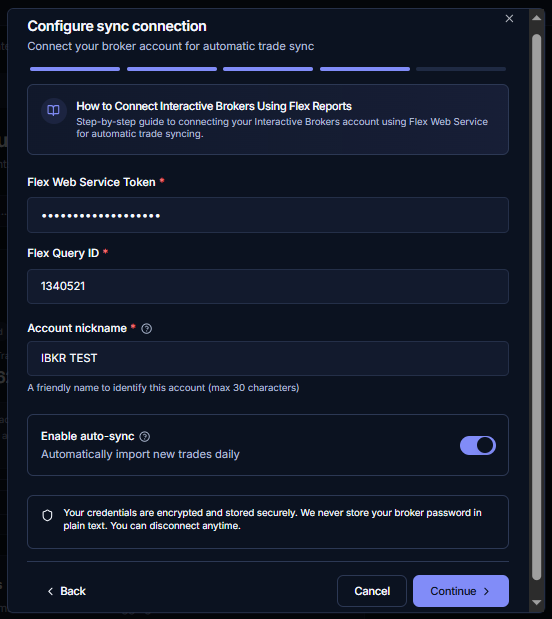
Once connected, trades sync automatically every day or manually by clicking Sync button.
Creating a CSV Upload Account (Broker)
Use this for brokers that export CSV files.
- Go to Settings → Accounts
- Click "+ Add Account"
- Select "Broker"
- Choose your broker
- If broker supports multiple methods, choose "Upload File"
- Name your account (e.g., "Questrade TFSA") & add you CSV file.
- Add you account Settings (Optional)
- Click "Create Account"
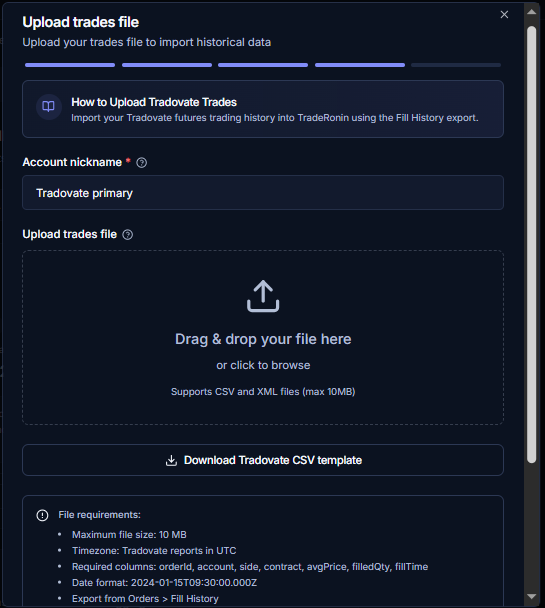
After creating, click "Upload CSV" to import more trades.
Creating a Manual Entry or Upload Account
Use this if you want to enter trades by hand.
- Go to Settings → Accounts
- Click "+ Add Account"
- Select "Manual Entry"
- Name your account
- Add you account Settings (Optional)
- Click "Create Account"
- After creating, click "Upload" to import trades.
Account Settings
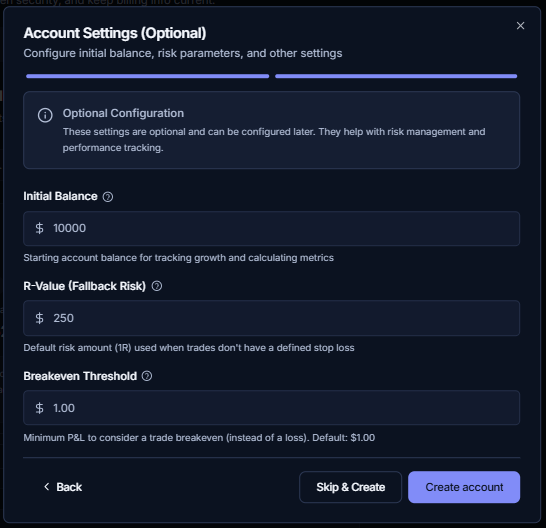
After or during creation of an account, you can configure these settings:
| Setting | Description |
|---|---|
| Name | Display name for the account |
| Matching Algorithm | FIFO, LIFO, or WAC |
| R-Value | Your risk per trade (for R-multiple stats) |
| Starting Balance | Account balance for % calculations |
Managing Multiple Accounts
You can add multiple accounts (depending on your plan) from different brokers:
- Each account tracks trades separately
- Dashboard shows combined stats
- Filter by account anytime