getting-started
create account
add account
Getting Started with TradeRonin
Welcome to TradeRonin! This guide will help you set up your trading journal in just a few minutes.
January 7, 2026
0 views
What is TradeRonin?
TradeRonin is a powerful trading journal that helps you:
- 📊 Track all your trades in one place
- 📈 Analyze your performance with detailed statistics and AI Insights
- 📝 Journal your thoughts and improve your strategy
- 🔗 Auto-sync with your broker accounts
Quick Setup (5 Minutes)
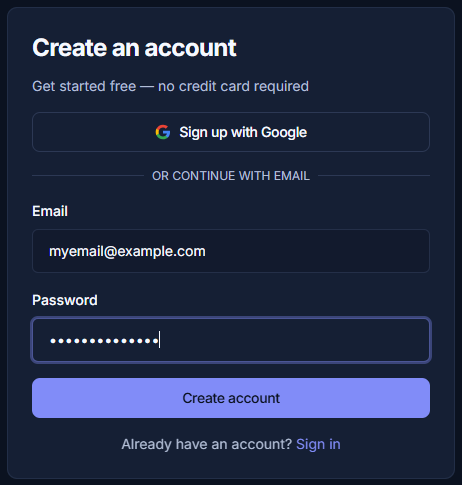
Step 1: Create Your Account
- Go to traderonin.com
- Click "Get Started" or "Sign Up"
- Enter your email and create a password (or user you Google account)
- Verify your email address
Step 2: Add a Trading Account
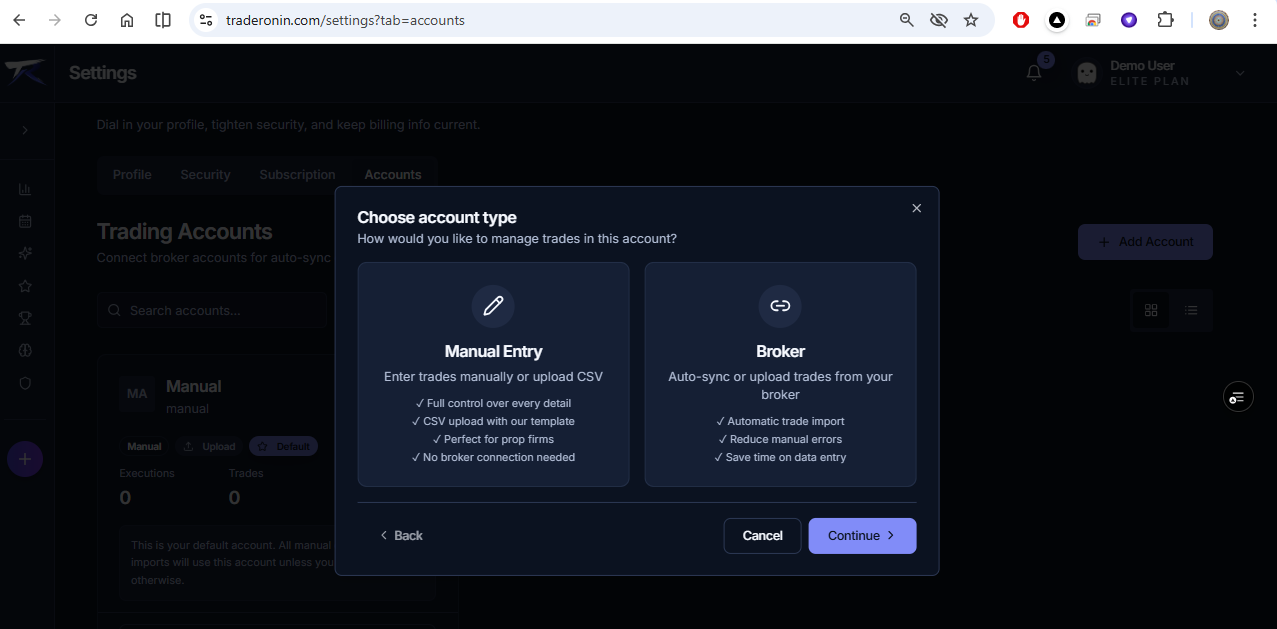
After signing up, add your first trading account:
- Go to Settings → Accounts
- Click "+ Add Account"
- Choose your setup method:
| Method | Best For |
|---|---|
| Broker | Sync trades or Imports/Uploads |
| Manual Entry | Recording trades or bulk Imports/Uploads |
Step 3: Import Your Trades
For Connected Brokers (IBKR, etc.)
- Enter your API credentials
- Trades sync automatically
For CSV Upload (Questrade, Tradovate, etc.)
- Export from your broker
- Upload the file to TradeRonin
For Manual Entry
- Click "+ Add Trade"
- Fill in the trade details
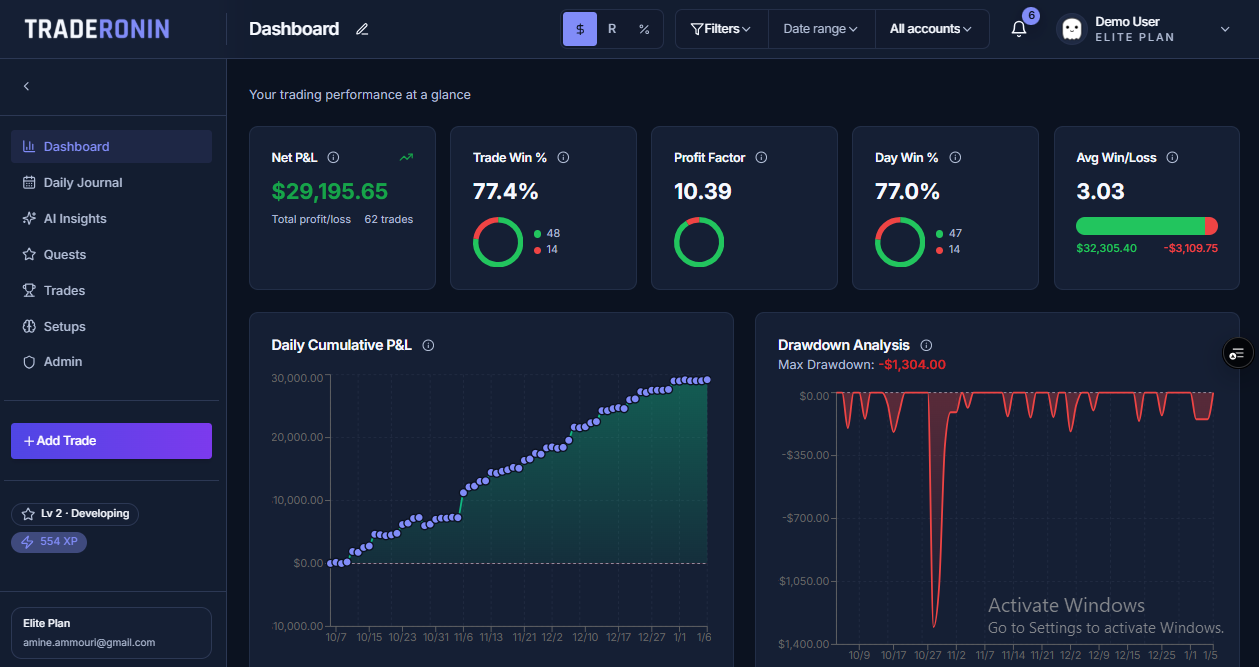
Step 4: Explore Your Dashboard
Once trades are imported, your dashboard shows:
- Daily P&L — Today's performance
- Calendar Heatmap — Visual overview of trading days
- Key Stats — Win rate, average win/loss, R-multiples
What's Next?
Need Help?
- Browse our Help Center
- Contact support via the chat widget